MalwareFox for Android
Real-time protection against malware, spyware, and adware — built for Android phones and tablets.

Free to download · No credit card required
Complete Android Protection
Everything you need to keep your Android device clean, fast, and private.
Deep Antivirus & Spyware Scanner
Lightning-fast, on-demand scanning that digs deep into your device to detect and neutralize viruses, adware, Trojans, and hidden spyware. Forget it’s even there until it catches a threat.
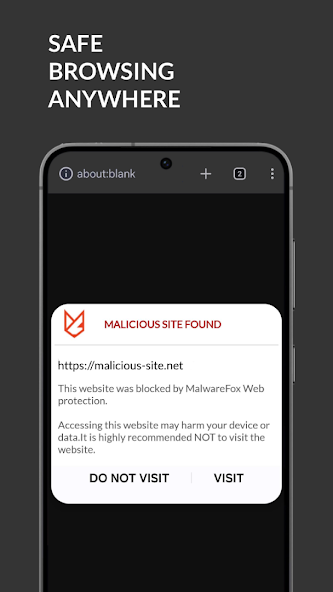
Web Protection & Safe Browsing
Browse anywhere with confidence. Our real-time web filter automatically blocks phishing links, scams, and malicious websites before they can steal your passwords or banking data.
Application Privacy Audit
Who is tracking you? Instantly see exactly which apps have secret access to your camera, microphone, location, and personal messages. Expose privacy abusers with one tap.
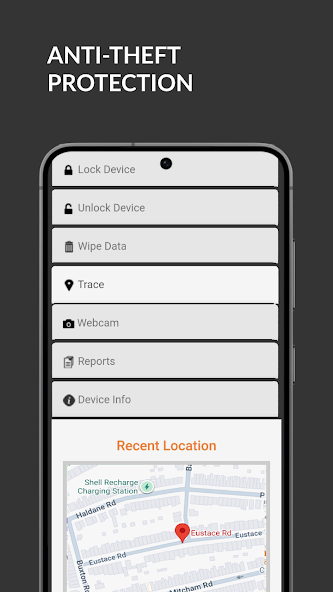
Anti-Theft & Device Tracking
Lost your phone? Log in from any browser to locate your device on a map, lock it remotely, sound an alarm, or wipe your private data completely to keep it out of the wrong hands.
What Our Users Are Saying
Verified reviews from Google Play
“I installed this mostly out of curiosity — and it immediately flagged an app I’d had for months as a hidden tracker harvesting my contacts and location. I had no idea. Uninstalled that app instantly. Genuinely shocked at how deep the scan went.”
“My phone had been acting weird for weeks — battery dying fast, random pop-up ads even on the home screen. Ran MalwareFox and it found and removed 3 adware apps in under a minute. Phone is back to normal. Wish I’d tried this sooner.”
“I travel for work constantly and use hotel and airport Wi-Fi all the time. Since turning on the web protection, I’ve had peace of mind I didn’t know I was missing. It’s blocked a surprising number of sketchy redirects. Runs completely silently in the background.”
Swipe to see more ›
See It in Action
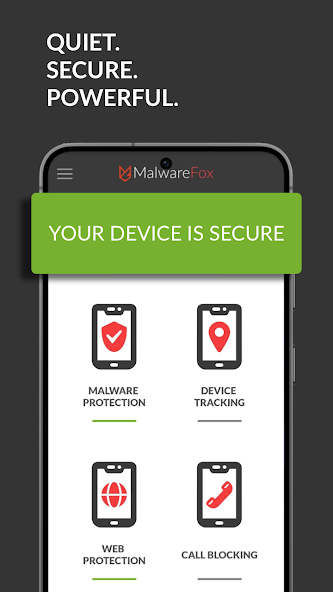
A clean, simple interface that keeps your Android device protected without getting in your way.
Swipe to see more ›
Frequently Asked Questions
How do I check for malware on my Android phone?
The most reliable way is to use a dedicated Android security app like MalwareFox. After installing, run a full device scan — it checks installed apps, downloads, and storage for known malware signatures and suspicious behaviour.
Signs your phone may already be infected include: battery draining unusually fast, unexpected data usage, pop-up ads appearing outside of any browser, and apps you don’t remember installing.
What are Android phone monitoring codes?
Android includes built-in USSD codes you can dial to check certain security settings:
*#21# — Shows whether call forwarding is active. If your calls are being redirected without your knowledge, this can indicate monitoring.
*#62# — Shows the number calls are forwarded to when your phone is off or out of range.
##002# — Disables all call forwarding (a useful reset if you discover unexpected redirects).
These codes reveal forwarding settings but won’t detect spyware apps installed on the device — for that, use a dedicated scanner like MalwareFox.
How do I stop spyware on Android?
To remove spyware from your Android device:
1. Run a full scan with MalwareFox — it detects and removes known spyware automatically.
2. Review your installed apps in Settings → Apps and uninstall anything you don’t recognise.
3. Check app permissions in Settings → Privacy → Permission Manager — revoke camera, microphone, and location access for apps that don’t need them.
4. Avoid sideloading apps from outside the Play Store, as these are a common spyware vector.
How do I remove unwanted ads and pop-ups on Android?
Persistent ads outside of a browser — especially full-screen pop-ups when unlocking your phone — are typically caused by adware installed as an app. To remove them:
1. Scan with MalwareFox to identify and delete the adware app automatically.
2. If ads appear only in your browser, enable MalwareFox’s WebShield feature to block ad-serving and tracking domains.
3. Check recently installed apps — adware is often bundled with free apps, games, or utilities downloaded from third-party stores.
Download MalwareFox Free for Android
Join thousands of users keeping their Android devices clean and secure.