Most “online virus scanner” roundups hide a dirty secret. Half the tools they recommend aren’t online at all. To put it bluntly, noting that truly browser-based scanners are hard to find and very few exist. So we’re splitting the best online virus scanner picks into two honest buckets.
Browser-based tools (VirusTotal, MetaDefender) check a single file or URL with zero install, but cannot remove anything. Small-download on-demand scanners (MalwareFox, ESET, HouseCall, Bitdefender) require a few megabytes of installer, then actually sweep your system and remove what they find.
Every pick below tells you upfront which bucket it falls into, how fast it runs, any privacy catches, and the exact situation it’s best for. No affiliate fog. No bloat. If you want the short answer before you read on: VirusTotal for a quick file check, MalwareFox for fast removal, Bitdefender Free if you want one tool to stay installed.
1. VirusTotal: The Browser-Based Multi-Engine Heavyweight
Upload a file to VirusTotal and 70+ antivirus engines scan it at once. That same file also gets shared with every one of those vendors, plus VirusTotal’s premium subscribers. That single tradeoff is why VirusTotal is both the best and the riskiest free online scanner on the internet.
It runs entirely in your browser. Drop a file (up to 650 MB), paste a URL, or submit a hash, and get a verdict in under 60 seconds. No install, no account required for basic use.
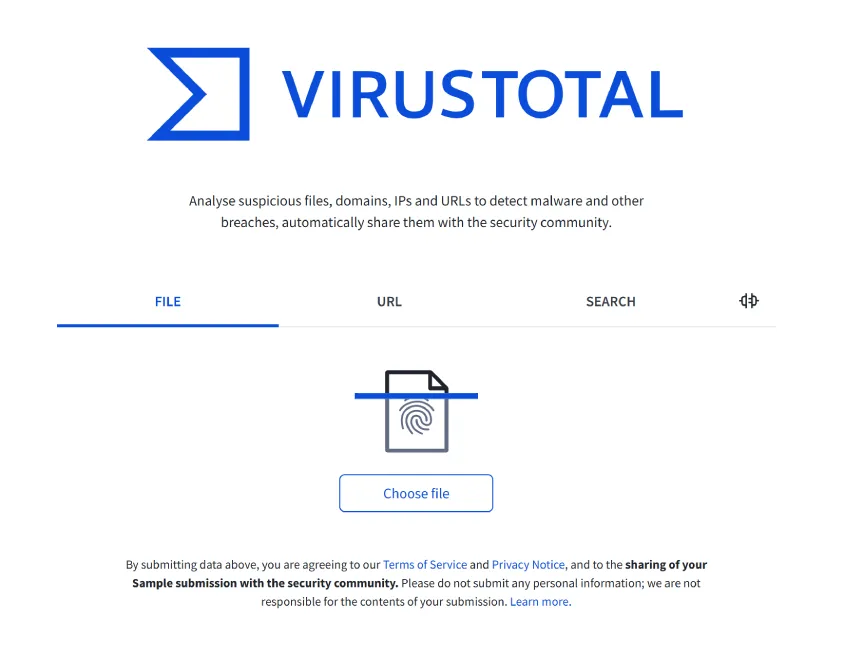
The privacy catch is what competitors skip. Every file you upload enters the VirusTotal Corpus, shared with 70+ AV partners and all premium subscribers. If the file contains anything you wouldn’t email a stranger, don’t upload it.
There is a safer path. Generate the file’s SHA-256 hash (PowerShell: Get-FileHash) and paste the hash into VirusTotal’s search box. Same verdict, zero upload, zero privacy exposure.
Microsoft Sysinternals takes that hash approach further. Open Process Explorer, go to Options and enable VirusTotal.com, and it automatically checks hashes of every running process and loaded DLL against VirusTotal. A score column appears next to each process with a link to the full report. Autoruns does the same for every startup entry. Neither tool uploads any files. If you suspect something is active in memory right now, this is the fastest way to scan everything at once without touching a browser.
Best for: quickly checking a random downloaded .exe, a sketchy email attachment, or a suspect URL. Skip if: the file contains tax info, contracts, medical records, or anything private.
Visit: virustotal.com
2. MalwareFox: The Fastest Free Download for Actually Removing Threats
Most free scanners take one to two hours to sweep a hard drive. MalwareFox does a 33 GB drive in 29 seconds. That one fact separates it from other AVs, which routinely pin the CPU at 70% for a two-hour scan before it finishes.
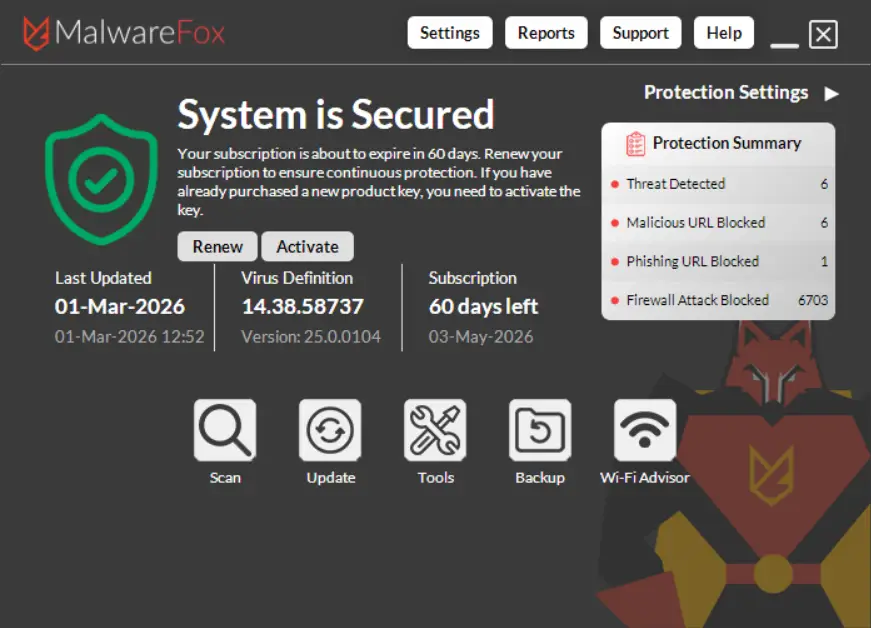
Under the hood, MalwareFox combines signature matching with cloud behavioural analysis. It catches both known malware and fresh zero-day samples that haven’t hit signature databases yet. It specialises in the stuff most people are actually fighting in 2026: browser hijackers, adware, redirect viruses, PUPs, and the shady toolbars that sneak in with free software. A dedicated browser hijacker removal tool scans Chrome, Firefox, and Edge settings in one click alongside system files. If your homepage suddenly changed or ads are popping up where they shouldn’t, this is the scanner built for that fight.
It’s also deliberately lean. Under 50 MB of RAM while running, around 20% CPU during a scan, and roughly 100 MB of memory at peak. That makes it comfortable on older Windows hardware that chokes on bloated security suites. The free version gives you the full on-demand scan and removal at zero cost, forever. No trial, no crippled mode, no nagware pop-ups asking for an upgrade after every scan.
The playbook is straightforward. Download, open, pick Quick Scan for critical areas or Full Scan for the entire system, let it finish in under a minute on most drives, then click to remove anything flagged. Reboot and confirm your browser is back to normal.
Download MalwareFoxThe verdict: the fastest free removal scanner for Windows users who want something cleaned, not just identified. Download, scan, remove, move on. If all you need is a hash check on a single file, use VirusTotal instead.
3. ESET Online Scanner: Enterprise-Grade Engine, Yes the Download Is Tiny
ESET calls it the Online Scanner. It isn’t. You download a small launcher .exe and run it locally. That’s the first thing most reviews fail to mention, and once you know it, the tool becomes far more useful than its name suggests.
Here’s why the launcher is actually the right design. You get the exact same ThreatSense detection engine that powers ESET Smart Security and NOD32, two of the most respected commercial products in the category. Unlike pure browser-based scanners, ESET Online Scanner can quarantine and remove the threats it finds, not just report on them. When the scan finishes, it leaves no permanent install behind and no background services eating RAM.
It’s also built to coexist peacefully with whatever antivirus you already run. Because there’s no real-time component, it won’t fight Windows Defender, Bitdefender, or anything else for hooks into the system. That’s why it’s become the second-opinion scanner most recommended across community channels, including Brett in Tech’s 1.42M-subscriber YouTube audience.
The playbook is simple. Download the launcher from eset.com, run it as administrator, and allow it to update its detection signatures before scanning. Pick Full Scan, then walk away for 30 to 60 minutes depending on drive size. When it’s done, review detected items and click to delete or quarantine. Reboot. If anything was removed, follow up with a second-opinion scan from MalwareFox to confirm a clean state, since no single engine catches every sample.
One limitation worth knowing. Windows only. No macOS, no Linux. There is also no ongoing protection and no scheduled scan option, so you have to launch it manually each time you want a sweep. This is a one-off cleaning tool, not a shield. Treat it as the tool you run when something feels off, not the one you leave running in the background.
Best for: a one-off second-opinion scan when your primary AV says clean but symptoms persist. Skip if: you need continuous real-time protection, or you’re on macOS or Linux.
4. MetaDefender Cloud: A Genuinely Browser-Based Alternative to VirusTotal
MetaDefender does something VirusTotal doesn’t. It hands you back a cleaned, sanitised copy of the file you uploaded. That single feature makes it the best online virus scanner for documents from sources you don’t fully trust.
MetaDefender Cloud is truly browser-based. No download, no installer, just opswat.com/metadefender-cloud in any browser. It runs your file through 30+ anti-malware engines, scans URLs, IPs, and hashes, and layers on file vulnerability detection that goes beyond pure signature matching. Results arrive in under a minute, and the free tier allows multiple scans per day without an account for basic use.
The differentiator is called Deep CDR (Content Disarm and Reconstruction). For Office documents, PDFs, and image files, MetaDefender strips out macros, embedded scripts, active content, and known exploit vectors, then gives you back a neutered version of the file that’s safe to open. If a client emails you a Word doc with tracked changes and you’re not 100% sure it’s clean, this is the tool. You get the content intact while the weaponisable parts are gone.
Privacy caveat applies. OPSWAT prints the warning directly on the upload page: don’t submit files containing personal information. Same data-sharing concerns as VirusTotal, but at least MetaDefender is upfront about it before you click upload. For anything sensitive, stick with a local scanner like MalwareFox or ESET instead.
Worth mentioning in passing. Jotti’s Malware Scan is another lower-profile browser-based option that lets you scan up to five files at once without an account. It’s a simpler, no-frills alternative when you want a fast, quiet second check without setting up anything, or when VirusTotal is down.
Direct recommendation: use MetaDefender when you want multi-engine browser scanning without VirusTotal as the default answer, or specifically when you need a sanitised copy of an untrusted document.
Visit: metadefender.com
5. Trend Micro HouseCall: The Friendly No-Conflict Second Opinion
You don’t want to read a 50-line threat report full of CVE numbers and hex hashes. You want to know one thing: is my PC safe or not? HouseCall is built for exactly that reader.
HouseCall is a downloadable launcher (yes, another “online” scanner that requires a small download, and we’ll keep calling that out). Grab HousecallLauncher.exe from the Trend Micro site, run it, pick Quick Scan (high-risk areas only) or Full System Scan (everything), and let it work. Detected threats come back in plain English with clear next-step buttons. No jargon wall, no CVE identifiers, no forensic-report formatting that assumes you already know what a registry key is.
Two things set it apart from most picks on this list. It runs on both Windows and Mac, which is rare among free on-demand scanners and makes it one of the few real options for Mac users whose primary AV says clean but symptoms persist. And it’s specifically engineered to run alongside your primary antivirus without conflict. Brett in Tech’s own recommendation sums it up: “It will not interfere with your primary antivirus, provides detailed threat reports even a novice would understand and the scan options are customizable.”
The tradeoff is the cloud dependency. The launcher pulls threat definitions and does part of its analysis in Trend Micro’s cloud during the scan, so you need a reliable internet connection for the whole run. On a slow or metered connection, it’s frustrating and can stall mid-scan. It also updates less aggressively than always-on products, since each scan is a one-shot event rather than a continuously refreshed definitions feed.
Best for: non-technical users who want a friendly UI and support for both Windows and Mac. Skip if: you’re on a slow or metered connection, or you need a tool that works fully offline.
6. Bitdefender Antivirus Free: The One Free Pick With Real-Time Protection
In our testing, Bitdefender Free caught 133 out of 150 planted malware samples. That’s higher than most paid competitors in the same bracket. It is by a wide margin the most capable free antivirus you can install right now.
Here’s the reframe. Bitdefender Antivirus Free isn’t really an online scanner. It’s a full free antivirus with real-time protection, advanced threat defence, and online threat prevention all bundled into the zero-cost tier. Once installed, it sits in the background and blocks threats as they appear, which is exactly what most readers of this article should actually be running.
The contrast with Windows Defender is sharp. Defender scored 91.1% in recent AV-Comparatives Real-World Protection testing. In a hands-on test against 100 live malware samples, Defender caught 61 while Bitdefender caught 91. The detection gap is real and measurable.
Limitations worth knowing. No firewall in the free edition, no VPN, no parental controls, and no ransomware remediation tools that the paid Total Security tier includes. Single device only, with no multi-device management dashboard. Bitdefender also buries the free version deep on their site, so the download page can be hard to find. Search “Bitdefender Antivirus Free Edition” directly rather than clicking through the main homepage, or you’ll end up on a 30-day trial of the paid product by mistake.
FAQs
Mostly yes, with one big caveat. Browser-based scanners like VirusTotal and MetaDefender share every uploaded file with 70+ antivirus vendors and their premium customers. Safe for random .exe files and suspicious URLs. Not safe for anything containing personal data. For sensitive files, generate a SHA-256 hash locally and paste the hash instead of the file.
It depends on the type. Pure browser-based scanners (VirusTotal, MetaDefender, Jotti) only detect and report. They cannot remove anything from your system. Downloadable on-demand scanners (MalwareFox, ESET Online Scanner, Malwarebytes, HouseCall) can quarantine and remove detected threats. If you have an active infection, you need a downloadable option.
For a careful user who never downloads unknown files, probably. For most people, no. Defender scored 91.1% in AV-Comparatives Real-World Protection tests and missed 39 of 100 samples in one hands-on test against Bitdefender’s 9 misses. If you handle sensitive data, download frequently, or share a PC with others, run scanner like MalwareFox or run Bitdefender Free as your primary.
Four steps, in order. First, quarantine or delete the detected items through the scanner and let it complete. Second, reboot into Safe Mode and run Windows Defender Offline for a deeper sweep that catches rootkits hiding from the live OS. Third, change passwords for email, banking, and key accounts from a different, clean device, since typing new passwords on an infected machine just hands them to any keylogger still present. Fourth, monitor financial accounts for 30 days for unusual activity and enable two-factor authentication on anything important.
– Good information.
Thank you for posting some great options from very reputable companies all who have a reputation for locating the worst of the worst in a computer. Keep up the good work and look forward to your next post! Darren Chaker
I agree with you
I’ve got a 900 mb single file that needs checking.
Generate the file’s SHA-256 hash (PowerShell: Get-FileHash) and paste the hash into VirusTotal’s search box.